

Sultan’s Game Direct Download
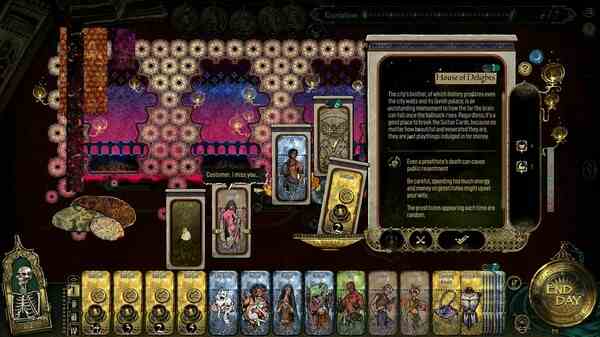
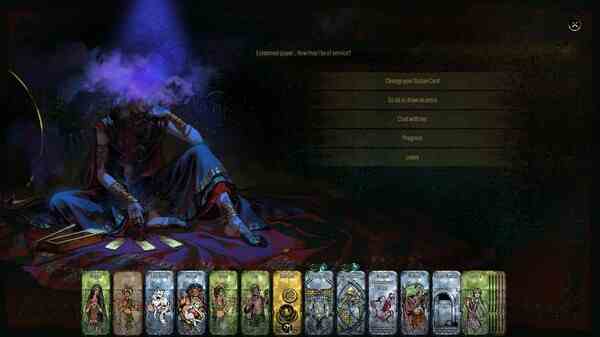
Sultan’s Game is a card-based simulation and narrative game, inspired by The One Thousand and One Nights. You are one of the ministers of the mighty Sultan, a fickle, cruel king who treats his subjects like pawns in a deadly game for his own pleasure. Forced to make dreadful choices to save your own life, you will have to find a way to survive not just the Sultan’s Game, but its consequences too. Master of Command
The Sultan forces you, his minister, to participate in a cruel game: draw one of four cards, and complete its challenge within seven days – or you will be executed. The Carnality Card pushes you into the pursuit of carnal pleasures. The Extravagance Card requires lavish spending to be fulfilled. The Conquer Card forces you into perilous adventures. Finally, the Bloodshed Card demands a human sacrifice.
You must find a way to complete these harsh trials – and weather its dire consequences. Familial betrayal, lustful madness, power struggles, and the loss of your own humanity threaten your sanity; the price of survival might end up being too high
Use your wits and luck to uncover the secrets behind this story of love, lust, betrayal, loyalty, bravery, and kindness, and turn them to your advantage. Choose if you want to be a willing accomplice of the Sultan’s whims, or secretly plot regicide to end his tyrannical rule. Support your spouse in dire times or sneak into the queen’s bed. Embark on epic adventures to become a dragon slayer or heed the call of dark gods.
Sultan’s Game SYSTEM REQUIREMENTS
- OS *: Windows 7
- Processor: i5-3570K
- Memory: 1 GB RAM
- Graphics: GTX 560
- Storage: 3 GB available space
Sultan’s Game GAME INFO
- Genre: Adventure, Indie, RPG, Simulation, Strategy
- Developer: Double Cross
- Platform: PC
- Game Size: 637 MB
- Released By: Mr_GOLDBERG emu
- Version: v1.0.19681 | Full Version
- Pre-Installed Game
SCREENSHOTS
🛠 Quick Setup Instructions
- Install Required Software: Go to the _Redist or _CommonRedist folder inside the game directory and install necessary components like DirectX and Visual C++ Redistributables.
- Use 7-Zip or WinRAR. for Extraction: If you see a “corrupted file” warning, try re-downloading and extracting the game using 7-Zip.
- Run with Admin Rights: Right-click the game’s .exe file and choose “Run as Administrator” to avoid problems with saving or launching.
💡 Additional Help
- Antivirus Alerts? Some antivirus tools may falsely detect game files—temporarily disable them during extraction.
- Update Graphics Drivers: For smoother gameplay, make sure your NVIDIA or AMD drivers are up to date.
- Having Trouble Launching? Try running the game in compatibility mode or ensure DirectX is properly installed.
- Visual C++ Errors? Some games need updated redistributables. We recommend installing the full All-in-One VC Redist Package.