
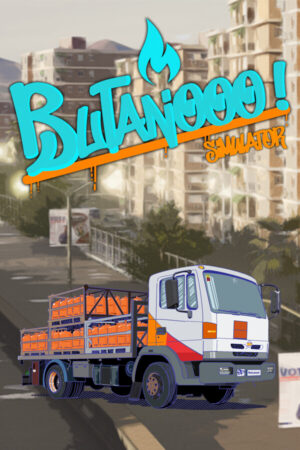
Butanooo! Simulator Direct Download
How are you, Paco? How are you? It’s me Er Pelusa. You told me that if I knew of any job to let you know, so I got you a good job. You’re going to work delivering butane gas You have a license, don’t you, because you’re going to have to drive the van loaded with butane around the neighborhood. Hypothetimania
You can tune the van if you want.
Remember to put gas in it
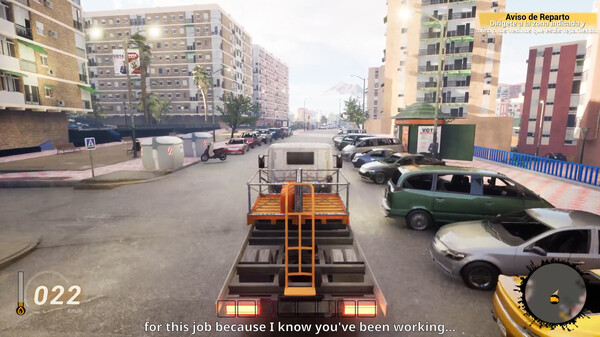
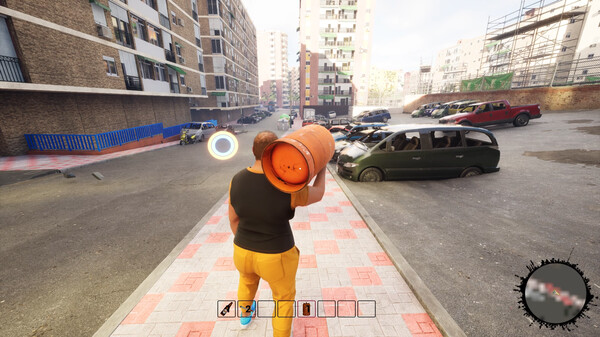
Distribute the butane to the neighbors in the neighborhood, so they can take a hot shower.
You can use the wheelbarrow to go faster
We’ll give you a helper so you can put him to deliver butane, load the truck or send him to buy tobacco.
If you’re going to take a shit, go to the nearest toilet.
You have a radio so play whatever music you want on it.
And above all don’t buy anything from the beggars in the neighborhood.
Butanooo! Simulator SYSTEM REQUIREMENTS
- OS: Windows10
- Processor: Intel i5
- Memory: 8 GB RAM
- Graphics: GeForce GTX 1060
- Storage: 30 GB available space
Butanooo! Simulator GAME INFO
- Genre: Indie, Racing, Simulation
- Developer: Pigeon-G
- Platform: PC
- Game Size: 14.4 GB
- Released By: SKIDROW
- Version: Build 14976476 | Full Version
- Pre-Installed Game
SCREENSHOTS
🛠 Quick Setup Instructions
- Install Required Software: Go to the _Redist or _CommonRedist folder inside the game directory and install necessary components like DirectX and Visual C++ Redistributables.
- Use 7-Zip or WinRAR. for Extraction: If you see a “corrupted file” warning, try re-downloading and extracting the game using 7-Zip.
- Run with Admin Rights: Right-click the game’s .exe file and choose “Run as Administrator” to avoid problems with saving or launching.
💡 Additional Help
- Antivirus Alerts? Some antivirus tools may falsely detect game files—temporarily disable them during extraction.
- Update Graphics Drivers: For smoother gameplay, make sure your NVIDIA or AMD drivers are up to date.
- Having Trouble Launching? Try running the game in compatibility mode or ensure DirectX is properly installed.
- Visual C++ Errors? Some games need updated redistributables. We recommend installing the full All-in-One VC Redist Package.