

BOMBANANA! Direct Download
BOMBANANA! is a chaotic, explosively funny co-op multiplayer game for three, where each player has only part of the information – blind monkey, deaf monkey and mute monkey must work together to defuse a bomb, or everyone goes BOOM! Will your friendship survive the ultimate test? Nested Lands
MEET YOUR SQUAD!
🙈 Blind Monkey: You can’t see the bomb, but you can touch the bomb! 👍 Sadly, you can’t see colors or read screens. You’ll need to rely on your teammates for the rest.
🙊 Mute Monkey: You are the only one who can read the bomb disposal manual. If only you could tell the others what you know.
🙉 Deaf Monkey: You can see the bomb and you can see your friends as they frantically gesture at you. Sadly, you can’t hear a thing, but at this point, would you even want to?
As you gamble with your friends’ lives, you must rely on each other and your monkeys’ unique abilities. Communication is key, and there’s no one right way to defuse the bomb. We don’t impose any methods: wave, shout, throw bananas. Working out how you communicate is your job.
WARNING
Players can and should expect peak amounts of misunderstanding, unjust accusations, and desperate body language, placing your friendships in jeopardy. Just because you keep talking, that doesn’t mean nobody explodes. Even if you manage to survive the bomb, there’s no guarantee your friendship will. Some might call this game “friendslop”. We disagree. If anything, it’s a new genre: anti-friendslop, or perhaps an argument simulator. 🤔
BOMBANANA! SYSTEM REQUIREMENTS
- OS: Windows 10/11 64-bit
- Processor: Intel Core i3-6100 / AMD Ryzen 3 1200
- Memory: 8 GB RAM
- Graphics: Intel HD Graphics 520 / AMD Radeon Vega 3 or equivalent
- Network: Broadband Internet connection
- Storage: 300 MB available space
BOMBANANA! GAME INFO
- Genre: Casual, Indie
- Developer: Lefto Studio
- Platform: PC
- Game Size: 301 MB
- Co-op By: Zxtry21 (OFME)
- Version: Build 25068266 | Full Version
- Pre-Installed Game
SCREENSHOTS
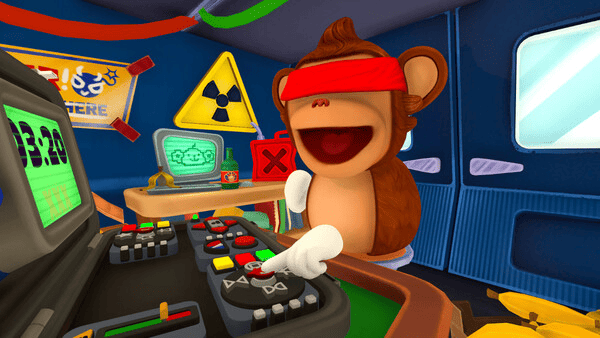
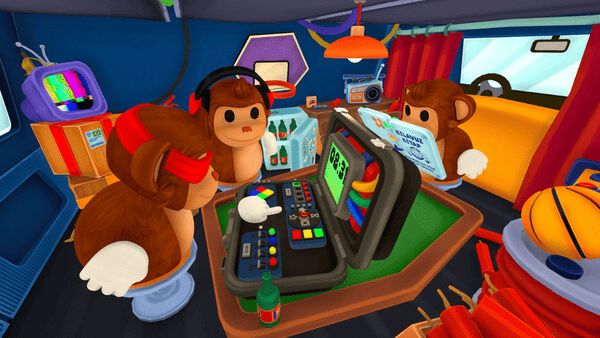
Filekeeper
🛠 Quick Setup Instructions
- Install Required Software: Go to the _Redist or _CommonRedist folder inside the game directory and install necessary components like DirectX and Visual C++ Redistributables.
- Use 7-Zip or WinRAR. for Extraction: If you see a “corrupted file” warning, try re-downloading and extracting the game using 7-Zip.
- Run with Admin Rights: Right-click the game’s .exe file and choose “Run as Administrator” to avoid problems with saving or launching.
💡 Additional Help
- Antivirus Alerts? Some antivirus tools may falsely detect game files—temporarily disable them during extraction.
- Update Graphics Drivers: For smoother gameplay, make sure your NVIDIA or AMD drivers are up to date.
- Having Trouble Launching? Try running the game in compatibility mode or ensure DirectX is properly installed.
- Visual C++ Errors? Some games need updated redistributables. We recommend installing the full All-in-One VC Redist Package.