
Dishwashing Simulator Direct Download
Experience the unexpected thrill of a household chore in the latest next-generation AAAAA simulation experience: Dishwashing Simulator. New ground has been broken in the simulation genre, with a never-before-seen level of detail in the act of washing dishes. Explore a simulated world where every dish matters and survival hinges on your ability to keep things clean. Navigate through a twisted cycle of chores, rewards, and mysteries as you uncover the secrets behind your menial tasks.
- Immerse yourself in an emergent simulation where gameplay mechanics interact in unpredictable ways.
- Engage with an immersive physical interaction system.
- Explore “The Depths,” a procedurally generated dungeon.
- Run, hide, and learn to survive various anomalies.
- Light automation mechanics
- Construct your base and production line, optimizing your dishwashing operations.
- Survive by managing food, water, and agriculture.
- Research using scrap to gain buffs or upgrades.
- Unravel a short, but cryptic narrative.
- GAMBLING !
Heads up: Dishwashing Simulator is NOT a full-blown automation game! It is a short-ish (4-6 hours) narrative survival horror game with some lite automation mechanics; don’t expect a deep tech tree and hundreds of hours of gameplay! Donut County
Dishwashing Simulator SYSTEM REQUIREMENTS
- Requires a 64-bit processor and operating system
- OS *: Windows 7/8/10/11
- Processor: Intel Core™ i5-4570 / AMD Ryzen 5 1600
- Memory: 4 GB RAM
- Graphics: NVIDIA GeForce GTX 970
- DirectX: Version 11
- Storage: 1 GB available space
- Additional Notes: Although the game is playable on lower-end systems, its physics-based nature means that an increase in complexity may lead to reduced performance towards the end of the game.
Dishwashing Simulator GAME INFO
- Genre: Simulation
- Developer: Frinky
- Platform: PC
- Game Size: 529.8 MB
- Released By: Goldberg + CSF
- Version: Build 22545985
- Pre-Installed Game
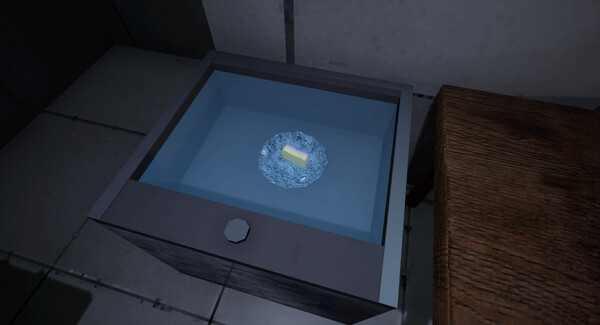
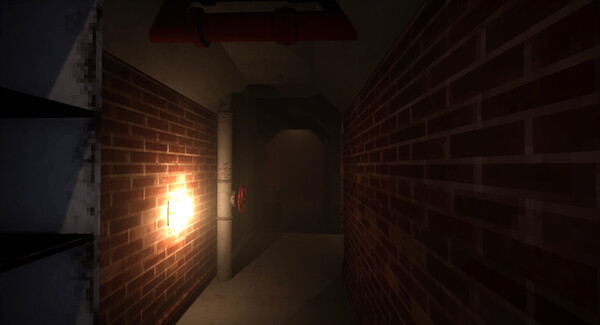
SCREENSHOTS
🛠 Quick Setup Instructions
- Install Required Software: Go to the _Redist or _CommonRedist folder inside the game directory and install necessary components like DirectX and Visual C++ Redistributables.
- Use 7-Zip or WinRAR. for Extraction: If you see a “corrupted file” warning, try re-downloading and extracting the game using 7-Zip.
- Run with Admin Rights: Right-click the game’s .exe file and choose “Run as Administrator” to avoid problems with saving or launching.
💡 Additional Help
- Antivirus Alerts? Some antivirus tools may falsely detect game files—temporarily disable them during extraction.
- Update Graphics Drivers: For smoother gameplay, make sure your NVIDIA or AMD drivers are up to date.
- Having Trouble Launching? Try running the game in compatibility mode or ensure DirectX is properly installed.
- Visual C++ Errors? Some games need updated redistributables. We recommend installing the full All-in-One VC Redist Package.