
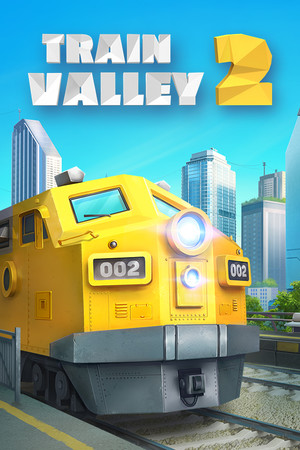
Train Valley 2 Direct Download
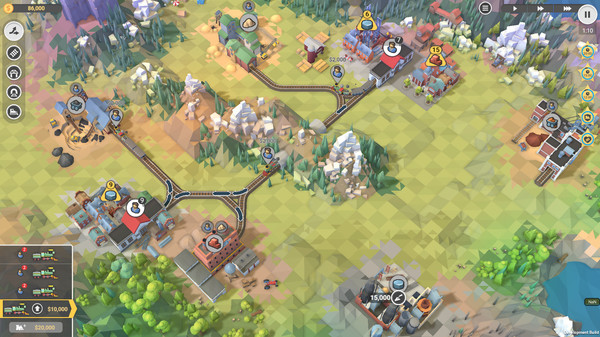
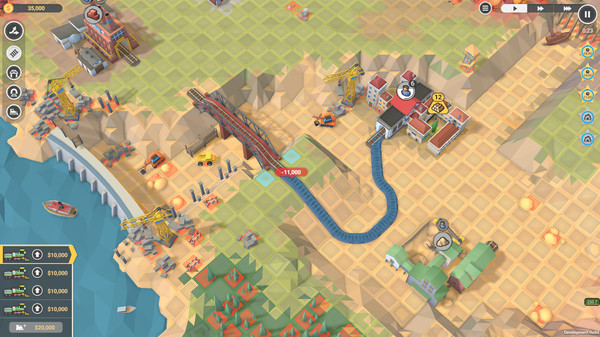
Train Valley 2 is a train tycoon puzzle game. Take your railroad company from the days of the Industrial Revolution and into the future, meeting the needs of the valley’s cities and industries. Build railroads, upgrade your locomotives, and keep everything on schedule without delays or accidents.
A Unique blend of Micromanagement, Tycoon and Puzzle games, putting you in control of your own company – that needs to help its local community thrive. Level Editor – Check out 1500+ levels already generated by players or try to create your own using Steam Workshop. A new look – With unique visuals, based on a low-poly aesthetic, Train Valley 2 is a joy to look at and immerse yourself in. E-Shop Tycoon
A huge selection of Trains – 18 models of locomotives to unlock and more than 45 types of train car – it’s up to you to keep things as efficient and cost effective as possible, while the world around you gets more demanding So if you’ve ever wanted to solve complex logistics problems, fancied yourself as a bit of a train mogul, or you just love solving puzzles – there is a lot for players both new and old.
Even if you’ve never played the original, there’s a lot to do in Train Valley 2 Don’t forget to check out the Passenger Flow DLC – which brings bigger and even more complex challenges to the Valley, taking inspiration from both Train Valley 1 & 2, to give you some of the most difficult puzzles in the series to-date.
DLCs Added
- Passenger Flow
- Myths and Rails
- Workshop Gems – Ruby
- Workshop Gems – Emerald
Train Valley 2 SYSTEM REQUIREMENTS
- OS: Windows Vista SP1+
- Processor: Intel Core 2 Duo E4500 @ 2.2GHz or AMD Athlon 64 X2 5600+ @ 2.8 GHz
- Memory: 2 GB RAM
- Graphics: ATi Radeon HD 2400 or NVIDIA GeForce 7600
- DirectX: Version 9.0
- Storage: 1 GB available space
Train Valley 2 GAME INFO
- Genre: Adventure, Casual, Indie, Simulation, Strategy
- Developer: Alexey Davydov, Sergey Dvoynikov, Timofey Shargorodskiy
- Platform: PC
- Game Size: 418 MB
- Released By: GOG
- Version: v1.7.0 | Full Version + 3 DLCs
- Pre-Installed Game
SCREENSHOTS
🛠 Quick Setup Instructions
- Install Required Software: Go to the _Redist or _CommonRedist folder inside the game directory and install necessary components like DirectX and Visual C++ Redistributables.
- Use 7-Zip or WinRAR. for Extraction: If you see a “corrupted file” warning, try re-downloading and extracting the game using 7-Zip.
- Run with Admin Rights: Right-click the game’s .exe file and choose “Run as Administrator” to avoid problems with saving or launching.
💡 Additional Help
- Antivirus Alerts? Some antivirus tools may falsely detect game files—temporarily disable them during extraction.
- Update Graphics Drivers: For smoother gameplay, make sure your NVIDIA or AMD drivers are up to date.
- Having Trouble Launching? Try running the game in compatibility mode or ensure DirectX is properly installed.
- Visual C++ Errors? Some games need updated redistributables. We recommend installing the full All-in-One VC Redist Package.